- Lightbox draw
- Guides
- Comparison
Tracing apps compared: which one fits
Tracing apps work in one of two ways. Light box apps show the picture under a sheet of paper laid on the screen. AR or camera apps show it over your paper through the camera while you draw beside the phone. Pick the kind first, then the app.
 The Lightbox draw team · 2 min read
Side by side
What each app's own store listing says, checked in November 2026.
| App | How you trace | Listing we checked | Photo to outlines | Image lock | Grid |
|---|---|---|---|---|---|
| Lightbox draw | Paper on the screen | App Store, Google Play | Yes | Yes | Yes |
| Trace Table - Light Box | Paper on the screen, plus an AR projector | App Store | Yes (Outline Mode) | Yes | Not listed |
| Tracing Board | Lightbox | Paper on the screen, made for iPad | App Store | Not listed | Locks the menu | Not listed |
| Papercopy: Trace & Draw | Paper on the screen | App Store, Google Play | AI outlines from a description | Yes | Not listed |
| Tracing Paper - Light Box | Paper on the screen | Google Play | Not listed | Yes | Not listed |
| LightPad: Tracing Light Box | A plain light surface under your original and paper | App Store | Not listed | Yes (touch lock) | Yes, true to size |
| Da Vinci Eye | Camera, phone held above the paper | App Store | Filters and value layers | Not applicable | Not listed |
| Translucent: AR Trace & Draw | Camera, phone held over the paper | App Store, Google Play | Yes | Yes | Yes |
Light box apps
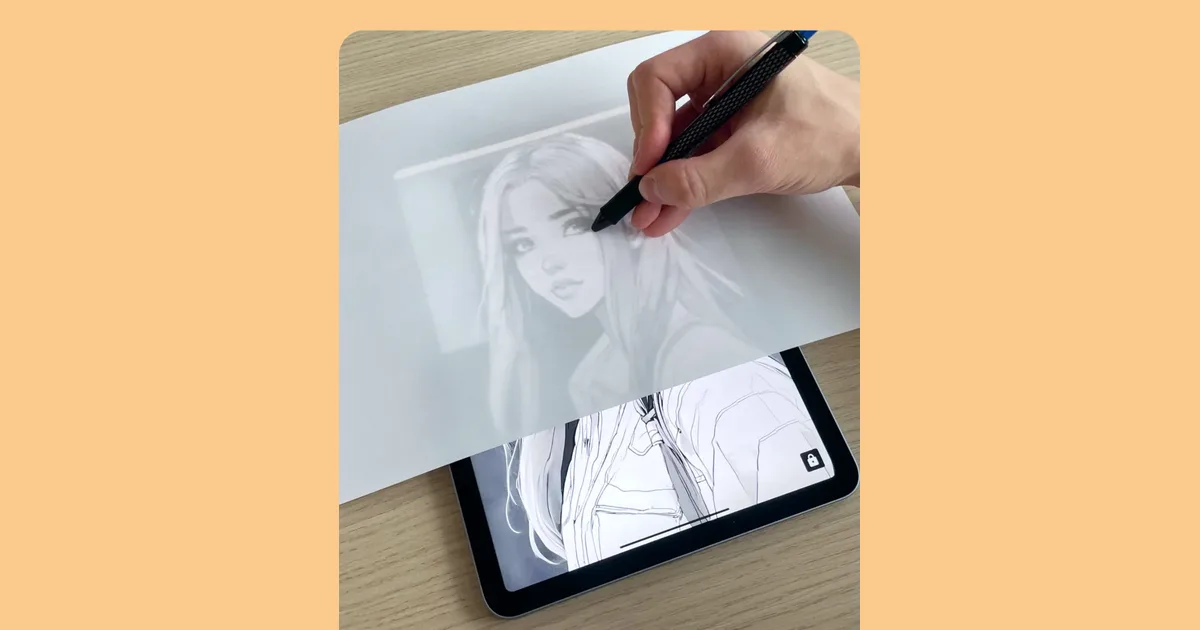
You lay the paper on the screen and trace the picture glowing through it. Nothing is in the way of your pencil and the line goes exactly where the picture is, so they're the easiest to start with and the most precise for small work. The limits are the screen size and the paper: thin sheets only. Use one for drawings, lettering, patterns and kids' pictures up to the size of your phone or tablet.
AR and camera tracing apps
You set the phone on a stand or a glass above your paper and look at the screen: the camera shows your paper with the picture laid over it, and you draw on the paper underneath. Da Vinci Eye's listing calls it a digital camera lucida. They work on any surface, as Da Vinci Eye's listing puts it, so thick paper and canvas are fine and the drawing can be bigger than the phone. You draw while watching the screen, the phone has to stay put, and in a plain camera mode a small shift of the phone or the paper moves the picture out of line.
Where Lightbox draw fits
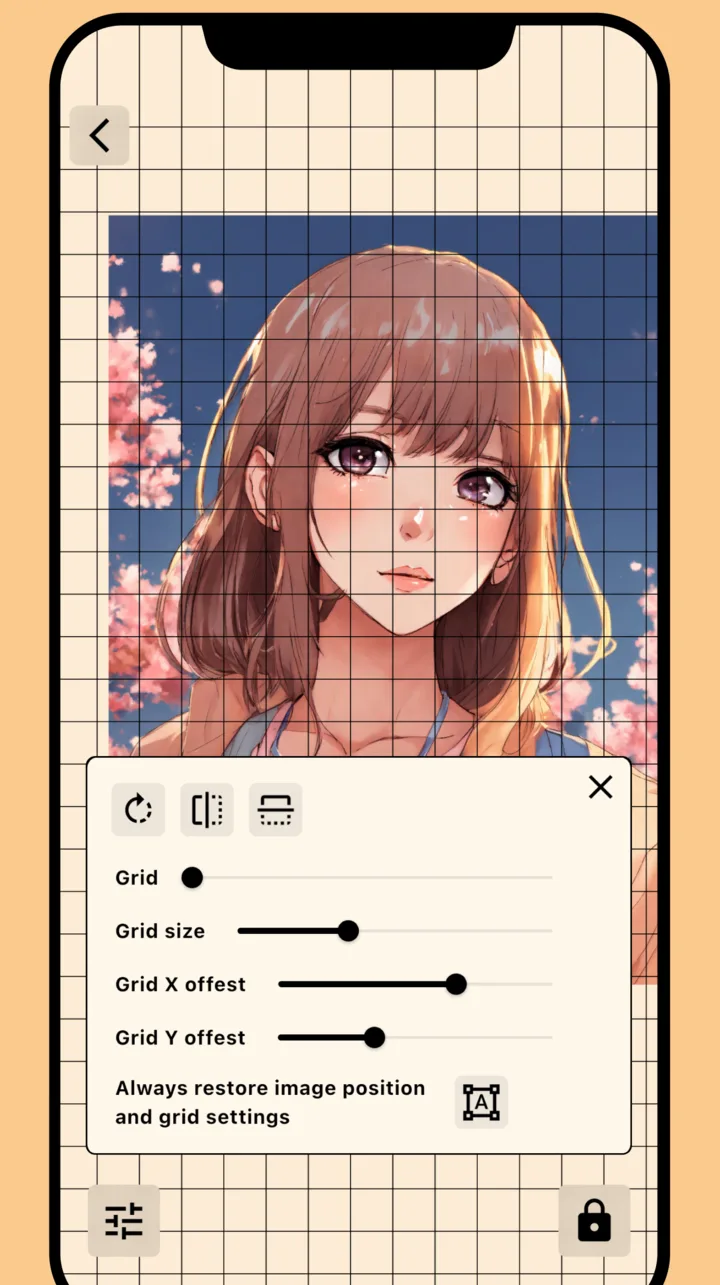
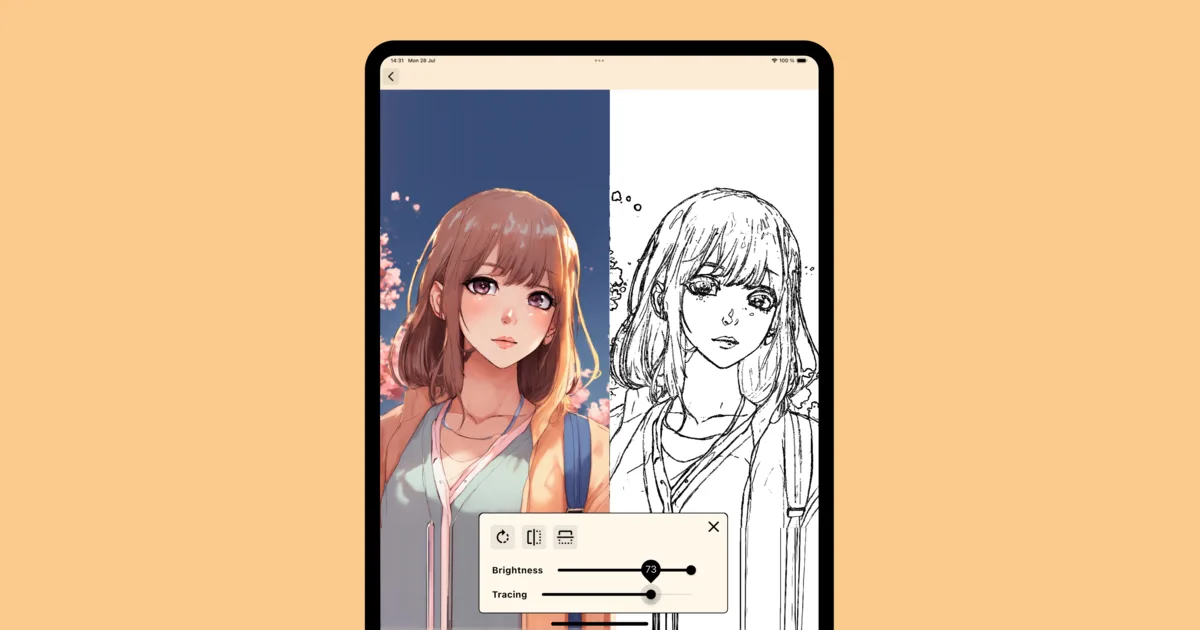
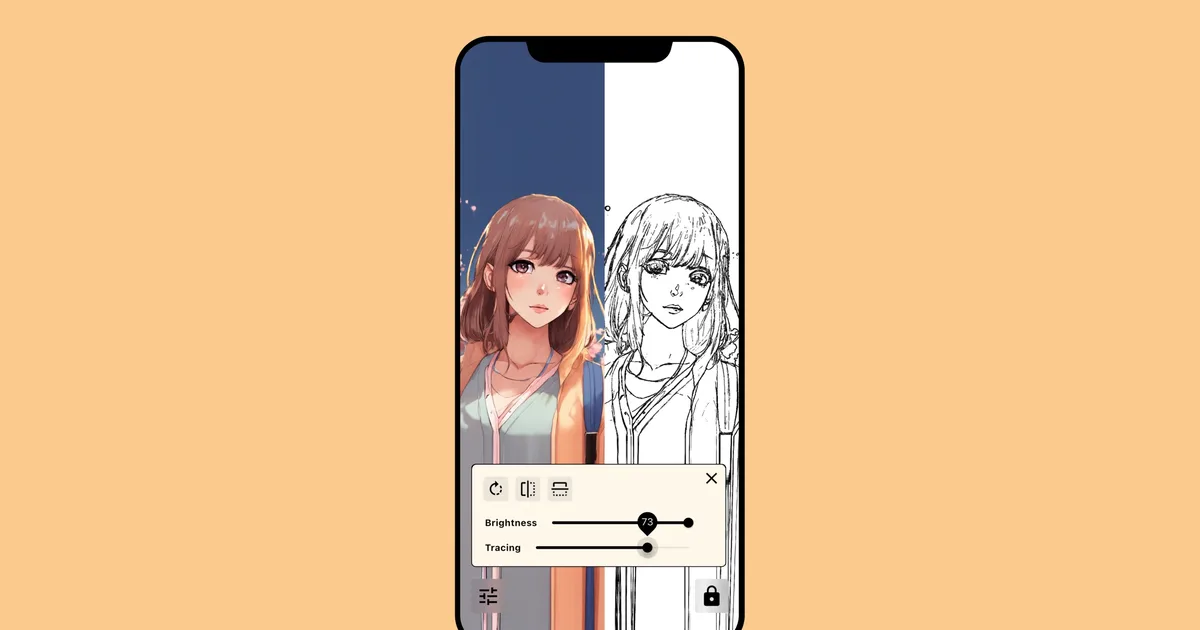
Lightbox draw is a light box app for iPhone, iPad and Android phones and tablets. You pick your own photo or a ready-made drawing (animals, portraits, anime, fairytale and simple versions for beginners), place it, and lock it so your hand can't move it. The Tracing slider turns a photo into outlines, a grid helps with proportions, and you can rotate or mirror the picture. It keeps the screen on and opens the picture at full brightness. It has no AR or camera mode, so it can't trace onto canvas or paper the light won't pass through. It is free to download and to trace with, and a premium upgrade unlocks the full features.
Questions people ask
What is the best app to trace a picture from my phone screen onto paper?
A light box app, since the paper lies on the screen. Lightbox draw locks the picture so your hand can't move it, turns photos into outlines and adds a grid, on iPhone, iPad and Android. Trace Table, Papercopy and Tracing Paper - Light Box are other light box apps.
Is Da Vinci Eye a light box app?
No. Da Vinci Eye works like a camera lucida: you hold the phone above your paper on a stand and see the picture laid over the paper through the camera. To trace with the paper lying on the screen, use a light box app such as Lightbox draw or Trace Table.
What are some alternatives to the Trace Table light box app?
Lightbox draw is the closest: like Trace Table it locks the image and turns photos into outlines, and it adds a grid and ready-made drawings. It runs on iPhone, iPad and Android. Papercopy and Tracing Board are other light box apps; Translucent and Da Vinci Eye trace through the camera instead.
Is Lightbox draw the same app as Lightbox Draw - Trace on Paper?
No. Lightbox draw - tracing paper is our app, by Try the Colors, on the App Store and Google Play (com.domingo.lightboxdrawtracing). Lightbox Draw - Trace on Paper is a different Android app by another developer, Webdwarf.
Sources
- Trace Table - Light Box on the App Storelisting checked November 2026
- Tracing Board | Lightbox on the App Storelisting checked November 2026
- Papercopy: Trace & Draw on the App Storeand on Google Play listings checked November 2026
- Tracing Paper - Light Box on Google Playlisting checked November 2026
- LightPad: Tracing Light Box on the App Storelisting checked November 2026
- Da Vinci Eye: AR Trace & Draw on the App Storelisting checked November 2026
- Translucent: AR Trace & Draw on the App Storeand on Google Play listings checked November 2026
- Lightbox Draw - Trace on Paper on Google Playlisting checked November 2026
Turn your phone into a light box
Lay paper on the screen, lock the picture so your hand can't move it, and trace. Free to download on iPhone, iPad and Android.